

Interview Materials
Choose the experience and role details for this interview.
Interview Materials & Additional Knowledge
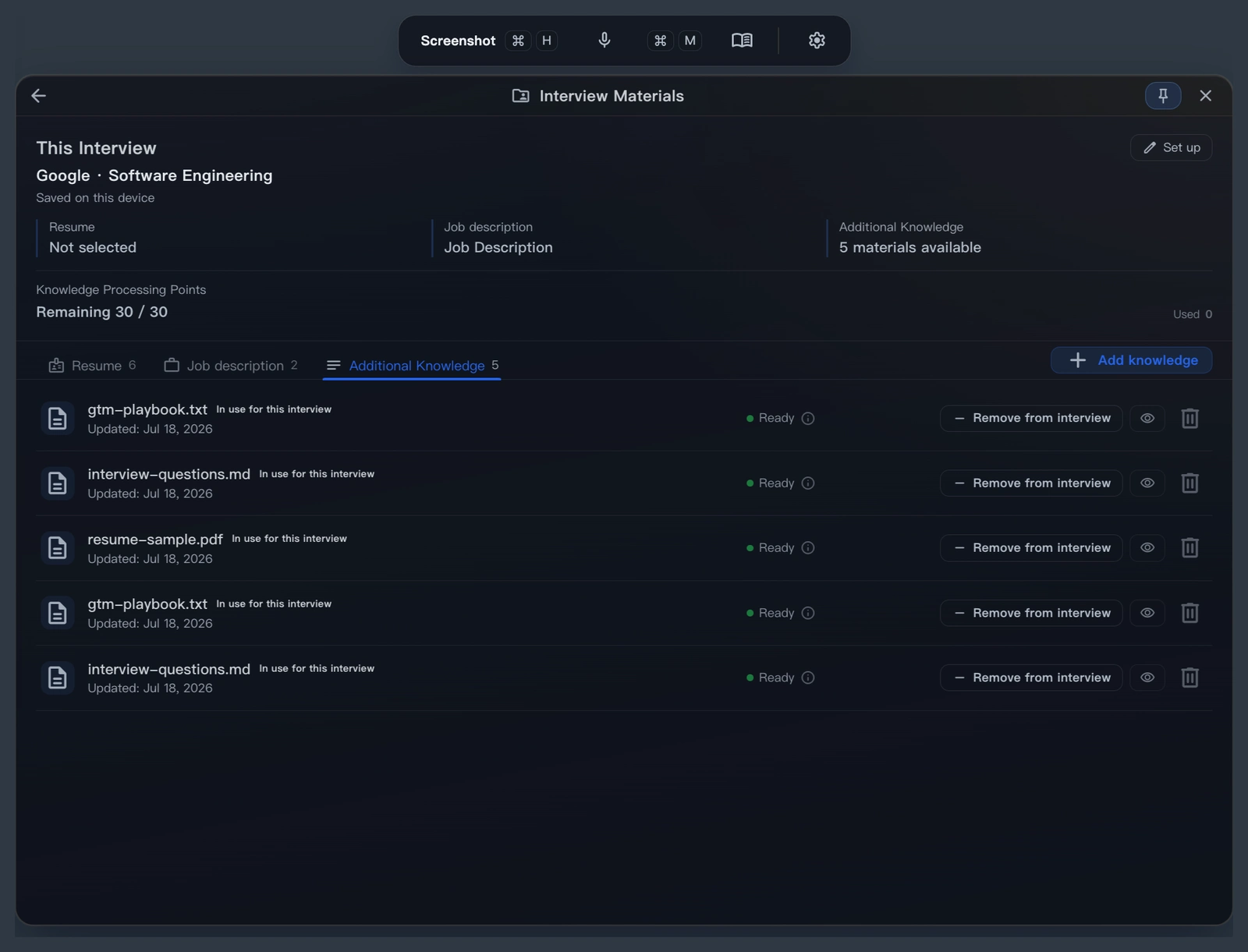
Open User Center → Interview Materials to prepare your experience, the target role, and supporting notes. Review processed content and confirm it before use.
What each type is for
Candidate material
Experience, skills, projects, timeline, and answerable facts from your Resume or manual notes. Check that it is accurate before use.
Role material
Company, responsibilities, required skills, preferred skills, and interview focus from the Job Description.
Supporting notes
Project retrospectives, behavioral stories, common Q&A, system-design outlines, or technical notes. They add context but do not replace candidate or role material.
Recommended workflow
Prepare and confirm
Upload a file, paste text, or choose an existing item. Open Preview after processing, check names, dates, responsibilities, and results, then select Save and confirm.
Choose materials for this round
Select one candidate material set and one role material set. Add two or three relevant supporting notes, such as project results, trade-offs, or behavioral stories.
Load them in Desktop
Open Settings → Current Interview. Select a saved Interview Plan, or choose No linked plan and select materials directly. Check the titles before starting.
Save the selection in an Interview Plan
Link the candidate, role, and supporting materials in the plan, then save it. Selecting that plan in Desktop loads its material set, replacing the previous selection. Check the company, role, and material summary when switching rounds.
Preview and Cheatsheet
Keep processed material open as a local reference. For screen sharing, see Stealth Mode.
Choose how each material is used in this interview
In the material list for an Interview Material set or Interview Plan, choose a scope for each supporting item:
| Scope | Shown in cheatsheet | Used as AI answer context | Best for |
|---|---|---|---|
| AI answers + cheatsheet | Yes | Yes | Let Voice/text Ask use this material when relevant |
| Cheatsheet only | Yes | No | Keep personal reminders visible without changing AI answers |
| Not used in this interview | No | No | Leave an item out for this round or while it is not ready |
The cheatsheet shows the complete processed material, which is useful for project details, behavioral stories, numbers, and keywords. AI answers retrieve only items marked AI answers + cheatsheet. To change a scope, return to the material list for the current interview and click the item's scope label.
What to put in a cheatsheet
Behavioral stories
Keep the context, action, result, and lesson so you can recover details during follow-ups.
Projects and system design
Keep architecture anchors, metrics, trade-offs, and debugging order so you can explain your reasoning.
Cross-language delivery
Keep common terms, short phrases, or answer structures for interviews where you think and answer in different languages.
Open Preview/Cheatsheet from the current material row before joining. Check that it is the right version and keep key facts easy to scan.
| Action | Shortcut |
|---|---|
| Show or hide the window | Cmd/Ctrl + B |
| Scroll material | Cmd/Ctrl + ; / Cmd/Ctrl + ' (follow the preview's shortcut hints) |
Material preparation checklist
- Candidate material: keep real experience, project responsibilities, outcomes, and verifiable numbers.
- Role material: keep responsibilities, skill requirements, business context, and likely interview focus.
- Supporting notes: start with two or three items directly related to this round; remove duplicates and stale notes.
- Review processed content before confirming it. Do not bring uncertain experience into an answer as fact.
Which Ask uses the materials
| Scenario | How materials are used |
|---|---|
| Voice/text Ask | Confirmed candidate, role, and supporting material |
| Follow-up questions | Facts and project context from the current interview set |
| Screenshot Ask | Current screenshot only; no material lookup |
| Preview/Cheatsheet | View full material or the short processed reference |
Common questions
What if processing fails?
Follow the page instructions to retry or choose the source again. The original file is not rewritten during processing; review the organized result before confirming it.
The material is ready but does not appear in answers
Confirm Desktop selected the correct plan, the material was confirmed for use, and supporting notes were added to this round. Screenshot Ask does not read these materials by design.
Should I put every document in the cheatsheet?
No. Keep only the facts, numbers, structure, and keywords you expect to need in this round.
Continue reading
Something missing or unclear?
Tell us which page or step needs work.

AI Reading Assistant
Send to your preferred AI
Smart Summary
Deep Analysis
Key Topics
Insights