

AI Interview Assistant
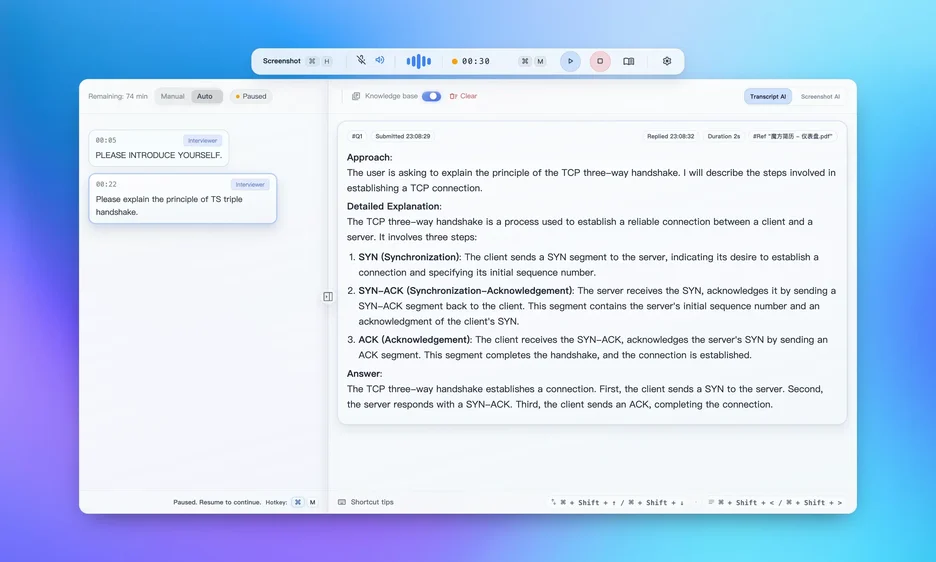
From capturing the question and shaping the answer to recap and next-round preparation, this is a workflow system instead of a single prompt overlay.
Proven Solution You Can Trust
Validated by tens of thousands of real interview scenarios
Every Detail Designed for Interviews
Deep understanding of interview scenarios, building truly useful features
Real-Time Listening
Auto-recognize interviewer voice, real-time transcription, quick answer framework generation
Structured Answers
Different answer frameworks for technical, algorithm, and behavioral questions
Stealth Mode
Post-Interview Recap
Knowledge Base
20+ Anti-Detection Features
Industry's most advanced stealth technology, undetectable under any monitoring environment
Worried about detection? Validate first with our toolbox. We strive to cover mainstream interview platform checks, including Zoom, Teams, Meet, and HackerRank.

Invisible During Screen Share
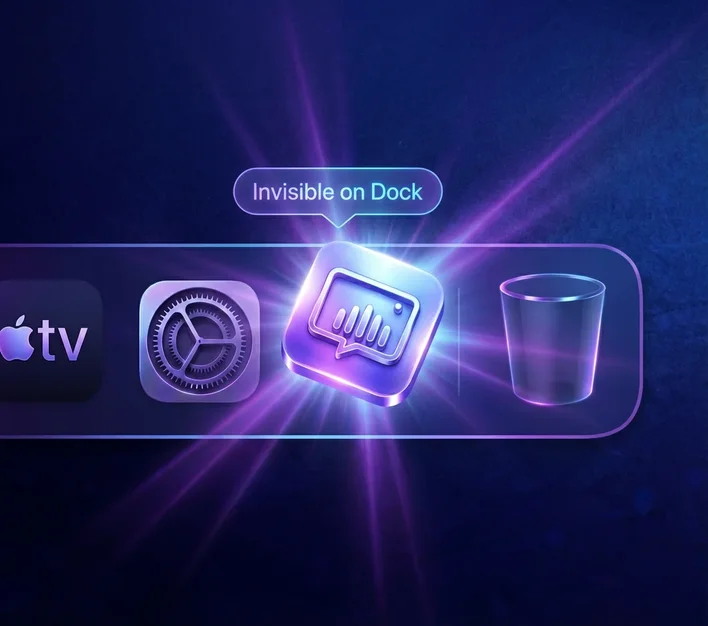
Dock Invisible
The app stays hidden from your Dock and app switcher while running. Even when you share your full desktop in a meeting, no suspicious app is visible.

Hidden in Activity Monitor
Process-Level Stealth
No recognizable tool process shows up in macOS Activity Monitor. Even during remote IT checks, suspicious process traces are hard to identify.

No Overlay in Recording
Recording Invisible
Even if the interviewer starts screen recording, your helper overlay won't be captured. The final recording shows only normal interview content.

No Focus Stealing
Click-Through
Click-through lets you operate your IDE or browser behind the overlay without focus stealing. No abrupt window switching and no obvious interaction traces.
 01/04
01/04Invisible During Screen Share
Dock Invisible
The app stays hidden from your Dock and app switcher while running. Even when you share your full desktop in a meeting, no suspicious app is visible.
Hidden in Activity Monitor
Process-Level Stealth
No recognizable tool process shows up in macOS Activity Monitor. Even during remote IT checks, suspicious process traces are hard to identify.
No Overlay in Recording
Recording Invisible
Even if the interviewer starts screen recording, your helper overlay won't be captured. The final recording shows only normal interview content.
No Focus Stealing
Click-Through
Click-through lets you operate your IDE or browser behind the overlay without focus stealing. No abrupt window switching and no obvious interaction traces.
Swipe or tap indicators to switch (auto-rotates)
Worried about detection? Validate first with our toolbox. We strive to cover mainstream interview platform checks, including Zoom, Teams, Meet, and HackerRank.
From resume building to question practice, from AI review to multi-platform sync — your complete interview companion
AI Review & Scoring
Smart Dashboard
View interview data and AI conversation history. Smart review of each interview with detailed scoring and improvement suggestions.
Smart Detection System
Stealth Self-Test
One-click environment safety check. Simulates detection mechanisms from top companies to ensure you're fully protected during interviews.
Online Editing · JD Tailoring · AI Polish
AI Resume Builder
Curated Interview Questions
Question Bank
Real Scenario Practice
Mock Interview
Multi-Device Sync
Multi-Platform
More features coming soon, stay tuned
The 3 things candidates
want clear before a live interview
Candidates usually want clarity on setup, privacy boundary, and fit, then a free trial before deciding whether to bring it into a real interview.
Validate the share-safe setup
Proof matters more than slogans. Rehearsing the exact screen-share and stealth path on your target platform is what reduces surprises in a live round.
Know the privacy boundary
Local-first by default. Sensitive context stays on-device wherever possible, with encrypted transfer paths and a clear privacy policy you can review first.
Try it free before you decide
It is not only for coding roles. Whether your loop is coding-heavy, system design, behavioral, or business-facing, start with the free tier and decide after trying the core workflow yourself.
Explore More Products
Each product is designed for different stages and scenarios
AI Resume Builder & Optimizer
Start from a blank canvas, template, or existing resume; edit with a live preview; then use AI diagnosis, polishing, expansion, and JD tailoring to prepare a stronger application version.
Interview Question Bank
Practice public interview questions by role, frequency, and answer depth instead of browsing random lists.
Interview Self-Check Tools
A focused toolkit for the highest-risk pre-interview checks across sharing, focus switching, keyboard, and platform compatibility.
Ready to get started?
AI Interview Assistant is ready to help you solve real interview problems. Download now and start your efficient job search journey.